

Streamlit apps
Environment requirements
Section titled “Environment requirements”Your conda environment (used in JHub Apps Launcher’s App creation form) must have the following packages for successful app deployment:
jhsingle-native-proxy>= 0.8.2streamlit- Other libraries used in the app
Example application
Section titled “Example application”To deploy the Streamlit App using JHub Apps, you can use the following code and environment:
Code (Python file)
In a Python file, copy the following lines of code.
from collections import namedtupleimport altair as altimport mathimport pandas as pdimport streamlit as st
"""# Welcome to Streamlit!
"""
total_points = st.slider("Number of points in spiral", 1, 5000, 2000)num_turns = st.slider("Number of turns in spiral", 1, 100, 9)
Point = namedtuple("Point", "x y")data = []
points_per_turn = total_points / num_turns
for curr_point_num in range(total_points):    curr_turn, i = divmod(curr_point_num, points_per_turn)    angle = (curr_turn + 1) * 2 * math.pi * i / points_per_turn    radius = curr_point_num / total_points    x = radius * math.cos(angle)    y = radius * math.sin(angle)    data.append(Point(x, y))
st.altair_chart(    alt.Chart(pd.DataFrame(data), height=500, width=500)    .mark_circle(color="#0068c9", opacity=0.5)    .encode(x="x:Q", y="y:Q"))
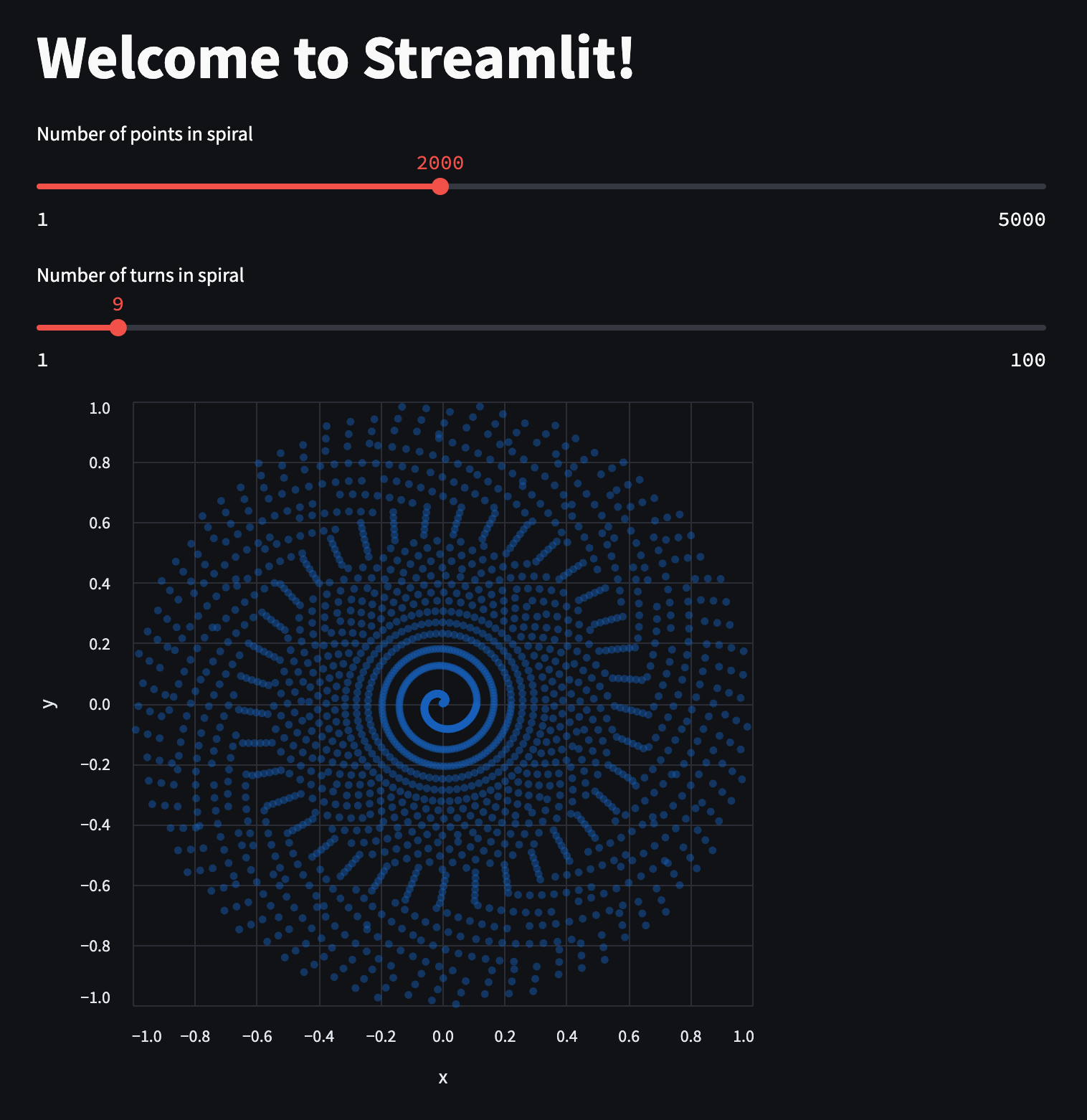
You will see an app that displays a spiral of points:
Environment specification
Use the following spec to create a Conda environment wherever JHub Apps is deployed. If using Nebari, use this spec to create an environment with conda-store.
channels: - conda-forgedependencies: - altair - jhsingle-native-proxy>=0.8.2 - pandas - streamlit - ipykernel